Engine System: Controller
My engine system is to make a game controller engine and make it easy for users to get the inputs from different devices such as keyboard, mouse and gamepad, so that users can control the objects easily.
Downloads:
Game running:
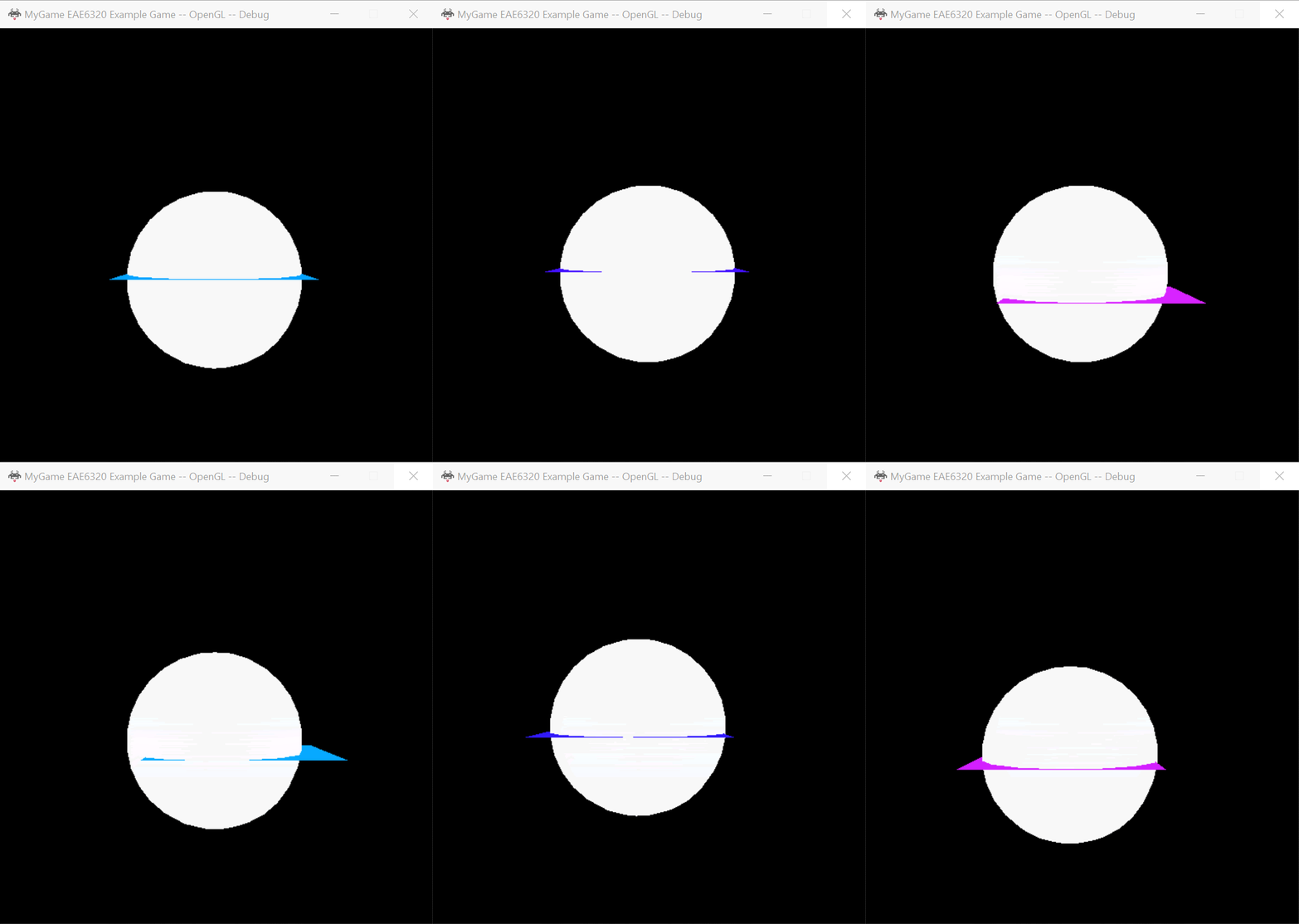
Use WASD on the keyboard to control the movement of camera
Use Up/Down/Left/Right on the keyboard to control the movement of object
Use A/B/X/Y on the Xbox Controller to control the movement of camera
Use LeftThumbStick on the Xbox Controller to control the movement of object
How to Use
If you want to use my project, you need download zip I shared in this page. There are four files in this zip.

Then you should:
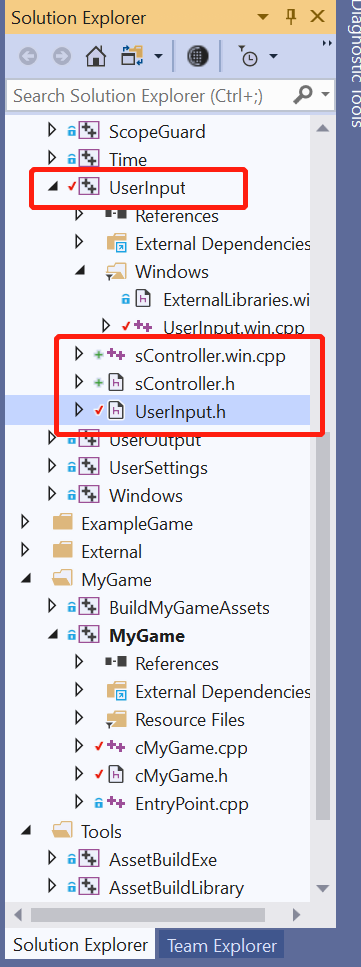
- Add sController.h into UserInput project;
- Add sController.win.cpp into UserInput project;
- Update UserInput.h in the UserInput project with UserInput.h
Now your UserInput project will look like this:
UserInput.h
In UserInput.h, I use the enum to present the key codes.
enum eKeyCodes
{
    Left = 0x25,
    Up = 0x26,
    Right = 0x27,
    Down = 0x28,
    Space = 0x20,
    Escape = 0x1b,
    Shift = 0x10,
    Control = 0x11,
    Alt = 0x12,
    Tab = 0x09,
    CapsLock = 0x14,
    BackSpace = 0x08,
    Enter = 0x0d,
    Delete = 0x2e,
    PageUp = 0x21,
    PageDown = 0x22,
    End = 0x23,
    Home = 0x24,
    F1 = 0x70,
    F2 = 0x71,
    F3 = 0x72,
    F4 = 0x73,
    F5 = 0x74,
    F6 = 0x75,
    F7 = 0x76,
    F8 = 0x77,
    F9 = 0x78,
    F10 = 0x79,
    F11 = 0x7a,
    F12 = 0x7b,
    MouseLButton = 0x01,
    MouseRButton = 0x02,
};

enum eGamepadKeyCodes
{
    A = 0x1000,
    B = 0x2000,
    X = 0x4000,
    Y = 0x8000,
    UP = 0x0001,
    DOWN = 0x0002,
    LEFT = 0x0004,
    RIGHT = 0x0008,
    START = 0x0010,
    BACK = 0x0020,
    LTHUMB = 0x0040,
    RTHUMB = 0x0080,
    LS = 0x0100,
    RS = 0x0200
};

enum eGamepadAxis
{
    GamepadLX,
    GamepadLY,
    GamepadRX,
    GamepadRY
};
Those enum values are the same as they are in windows, but any platform could use those enums. A different platform would translate them in UserInput.win.cpp.
sController.h&sController.win.cpp
In sController.h, I create a struct called sController. There are four public interfaces and one static member that you need if you want to use this system.
//BindActions are for key pressed and released
//i_key		: the input key representation, the values are the same as they are in the windows
//i_inputEvent	: the key event representation, it only support two events now, e_pressed means key is pressed, e_released means the first time the key is released.
//i_callback	: the callback function that will bind to the key.
void BindActions(uint_fast8_t i_key, eInputEvent i_inputEvent, std::function<void()> callback);
void BindActions(UserInput::KeyCodes::eGamepadKeyCodes i_key, eInputEvent i_inputEvent, std::function<void()> callback);

//BindAxis allow for inputs that have a continuous range
//i_key		: the input axis representation
//i_callback	: the callback function that will bind to the axis.
void BindAxis(UserInput::KeyCodes::eGamepadAxis i_key, std::function<void(float)> callback);

//detect input and call the bind function
void TriggerActions();

//a static memeber, it is shared by all objects of the class. All static data is initialized to zero when the first object is created
static sController g_controller;
To make an easy-to-use interface, I made two bind functions to bind the user-defined fuction to input keys. BindAction are for key presses and releases, while BindAxis allow for inputs that have a continuous range.
I use XInput to receive input from the Xbox Controller for Windows. All implementation are in sController.win.cpp in order to make it platform-independent.
Usage Example
Here is an expamle that how to use the Controller system:
```cpp
//in cMyGame.h
//Add header
#include “Engine/UserInput/sController.h”
//Add a member into class class cMyGame final : public Application::iApplication { //… sController& gController = sController::g_controller; //… }
//In cMyGame.cpp //Add header #include <Engine/UserInput/UserInput.h>
//Use the interfaces to bind functions to keys or axis. I put this in Initialize(). void eae6320::cResult eae6320::cMyGame::Initialize() { //bind to keyboard keys gController.BindActions(UserInput::KeyCodes::F2,e_pressed, & { meshCount = 1; }); gController.BindActions(UserInput::KeyCodes::F3, e_pressed, & { m_gameObjects[0].changeEffect(effect_c); }); gController.BindActions(UserInput::KeyCodes::F4, e_pressed, & { m_gameObjects[0].changeEffect(effect_c); });
gController.BindActions(UserInput::KeyCodes::Left, e_pressed, [&]() { objectMoveLeft = -1.f; });
gController.BindActions(UserInput::KeyCodes::Right, e_pressed, [&]() { objectMoveLeft = 1.f; });
gController.BindActions(UserInput::KeyCodes::Down, e_pressed, [&]() { objectMoveUp = -1.f; });
gController.BindActions(UserInput::KeyCodes::Up, e_pressed, [&]() { objectMoveUp = 1.f; });

gController.BindActions('W', e_pressed, [&]() { cameraMoveUp = 1.f; });
gController.BindActions('A', e_pressed, [&]() { cameraMoveLeft = -1.f; });
gController.BindActions('D', e_pressed, [&]() { cameraMoveLeft = 1.f; });
gController.BindActions('S', e_pressed, [&]() { cameraMoveUp = -1.f; });

gController.BindActions('A', e_released, [&]() { cameraMoveLeft = 0.f; });
gController.BindActions('D', e_released, [&]() { cameraMoveLeft = 0.f; });
gController.BindActions('S', e_released, [&]() { cameraMoveUp = 0.f; });
gController.BindActions('W', e_released, [&]() { cameraMoveUp = 0.f; });


gController.BindActions(UserInput::KeyCodes::Left, e_released, [&]() { objectMoveLeft = 0; });
gController.BindActions(UserInput::KeyCodes::Right, e_released, [&]() { objectMoveLeft = 0; });
gController.BindActions(UserInput::KeyCodes::Down, e_released, [&]() { objectMoveUp = 0; });
gController.BindActions(UserInput::KeyCodes::Up, e_released, [&]() { objectMoveUp = 0; });

//bind to mouse
gController.BindActions(UserInput::KeyCodes::MouseLButton, e_pressed, [&]() { cameraMoveUp = 1.f; });
gController.BindActions(UserInput::KeyCodes::MouseLButton, e_released, [&]() { cameraMoveUp = 0.f; });

//bind to gamepad button input
gController.BindActions(UserInput::KeyCodes::A, e_pressed, [&]() { cameraMoveUp = -1.f; });
gController.BindActions(UserInput::KeyCodes::A, e_released, [&]() { cameraMoveUp = 0.f; });

gController.BindActions(UserInput::KeyCodes::Y, e_pressed, [&]() { cameraMoveUp = 1.f; });
gController.BindActions(UserInput::KeyCodes::Y, e_released, [&]() { cameraMoveUp = 0.f; });

gController.BindActions(UserInput::KeyCodes::X, e_pressed, [&]() { cameraMoveLeft = -1.f; });
gController.BindActions(UserInput::KeyCodes::X, e_released, [&]() { cameraMoveLeft = 0.f; });

gController.BindActions(UserInput::KeyCodes::B, e_pressed, [&]() { cameraMoveLeft = 1.f; });
gController.BindActions(UserInput::KeyCodes::B, e_released, [&]() { cameraMoveLeft = 0.f; });

//bind to gamepad axis
gController.BindAxis(UserInput::KeyCodes::GamepadLX, [&](float i) {objectMoveLeft = i; });
gController.BindAxis(UserInput::KeyCodes::GamepadLY, [&](float i) {objectMoveUp = i; });
//… }
//Add the trigger function to dectect the input every update. void eae6320::cMyGame::UpdateSimulationBasedOnInput() { //Every update, if detect input from devices, call the corresponding function gController.TriggerActions();
float speed = 100;   //the value of cameraMoveLeft, cameraMoveUp, objectMoveLeft, ojectMoveUp will be changed by the call back function if the binding key is triggered.
m_camera.m_rigidbody.velocity = { cameraMoveLeft * speed, cameraMoveUp * speed, 0 };
m_gameObjects[0].m_rigidbody.velocity = { objectMoveLeft * speed, objectMoveUp * speed, 0 }; }